Accounting Integration
Last updated: January 30, 2026
Accounting Integration Overview
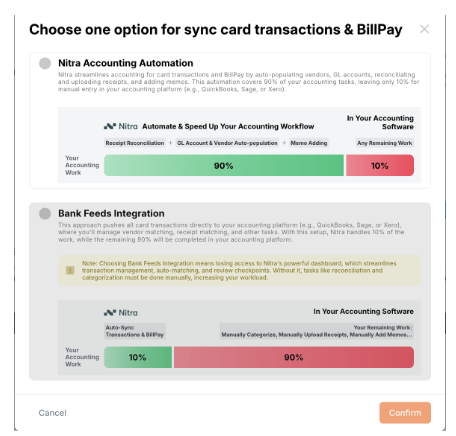
Nitra can integrate with many different Accounting softwares. We have two ways of integrating.
Bank Feeds
Nitra’s Accounting Automation
Bank Feeds: An Automatic feed that pushes your transactions into your accounting system on a daily basis. You then work in your accounting system to map everything correctly.
Nitra’s Accounting Automation: You work in Nitra to map everything and then manually push the transactions into your accounting system with the receipt and the memo.
If you decide to integrate using Nitra’s Accounting Automation, you can set up rules and automation.
Accounting Rules Overview
Admins and bookkeepers can increase efficiency using Nitra’s customizable accounting rules. These rules let you map any Nitra field directly to a corresponding field in your accounting system—ensuring consistent, automated categorization.
Setting Up Automation For Existing Cards
Navigate to the Accounting tab
Click on Automation
You can click on “Card Rules” or “General Rules” and click “Create New Rule”
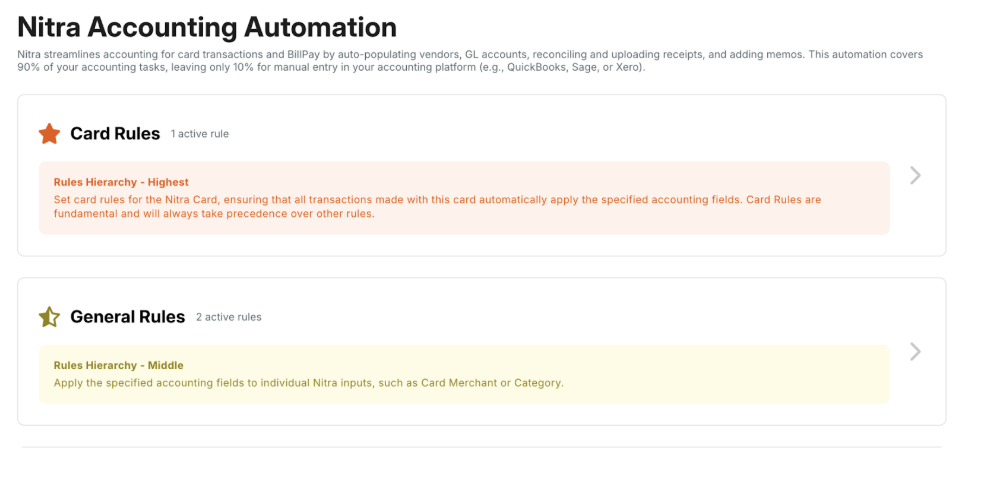
Card Rules:
Create rules at the card level for the Nitra Card so that every transaction made with that card automatically applies the designated accounting fields. Card Rules are foundational and always take precedence over all other rules.
General Rules
General rules apply specific accounting fields to individual Nitra inputs—such as Card Merchant or Category—to ensure consistent, automated coding.
Use cases
Card Rules: Automatically categorize your Uber Eats virtual card transactions to Meals & Entertainment or any GL account you specify.
General Rules: For example, for McKesson, automatically set the GL account to medical supplies.
Accounting Rules Hierarchy
Understanding rule priority is essential for predictable results. Nitra processes accounting rules in a structured hierarchy to ensure the correct rule is applied every time.
Card Rules -> General Rules -> Default Rules
Card Rules will always supersede other rules. General Rules will supersede Default Rules.
FAQ’s
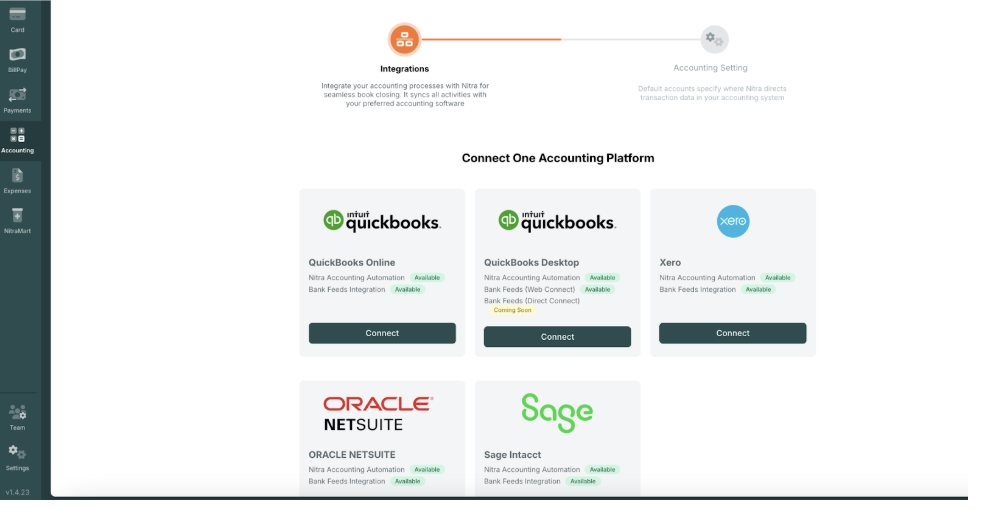
Which accounting softwares do you integrate with?
Answer: Quickbooks (Desktop & Online), Sage, Xero, and Oracle NetSuite
Which is the best option, Bank Feeds or Automation?
Answer: The best choice depends on how your current systems are set up and how you manage your other cards. Your Account Manager will review both options with you to determine which one fits your workflow and saves you the most time.
Do you have bank feeds for QuickBooks Desktop?
Answer: No, not at this time. You would need to use our Automation option instead.
How do I connect bank feeds?
Answer: Select the Bank Feeds option and follow the instructions. If you need assistance, please reach out to your Account Manager
How do I get the accounting integration to remember which GL account or vendor it should go to?
Answer: By setting up your automations (Card Rules & General Rules)